How to track league attendance without an app
Published · Updated
Roberto Santana, organizer of the SMBHL, a ball hockey league in Laval.

To track league attendance without making players download an app, send each player one request with a link to answer yes or no, keep every answer in one place, and set a deadline. An online form, a shared spreadsheet or a tool built for leagues can give you that link. Notre Ligue is one of them: players answer from the email, with no account and no app, and you see who's in, who's out and who hasn't answered.
Every week, the same question: who's playing Thursday? You message the group, a few thumbs up come in, and on game night you still don't know whether you have enough players. Forcing everyone onto an app doesn't help: half your players will never install it, and you end up running two systems instead of one.
Key takeaways
- Players answer more when it takes no account, no password and no download.
- You only need three lists: who's in, who's out, who hasn't answered.
- Ask once, in one place, with a deadline.
- Know your minimum before you count: in my league, a team needs one goalie and five players to play.
Why do mandatory apps fail in rec leagues?
Mandatory apps fail because rec players play once a week and won't create an account just to answer yes or no. Every extra step, like a password or a download, is one more player who doesn't reply, and you're the one who chases them.
What do you need to know before a game?
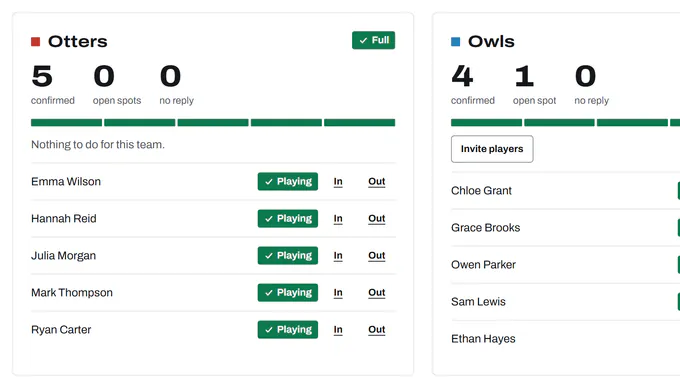
You only need three lists before a game: who's in, who's out, and who hasn't answered. Everything else is noise. A good method shows you those three lists at a glance, in one place, for every game.
When should you ask players if they're playing?
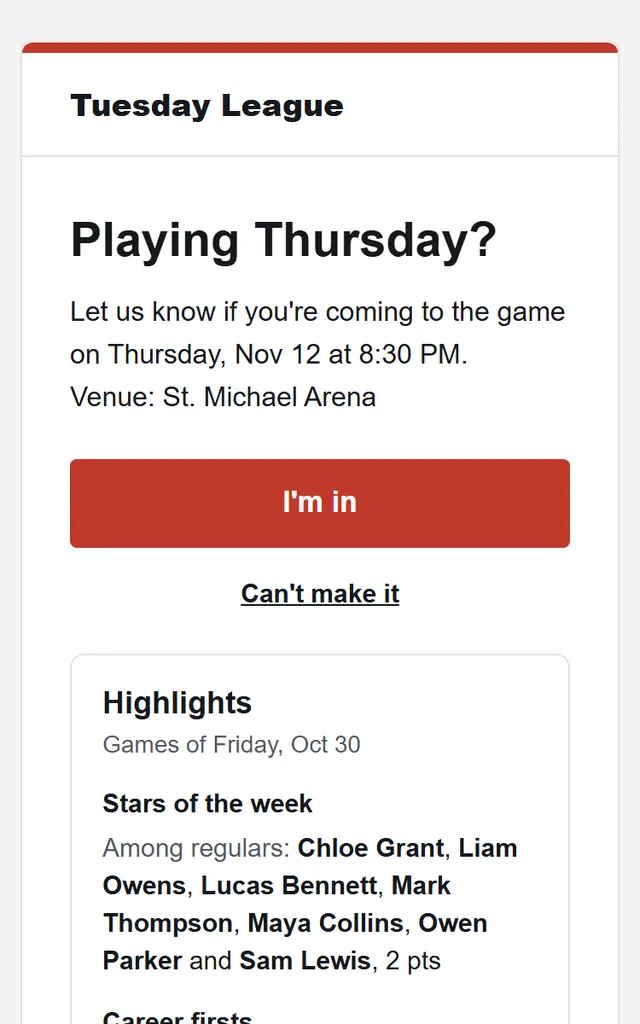
Ask once with date, time, place and one question: "Playing Thursday at 8 pm at the gym? Yes or no." Avoid open messages like "who's free?", which lead to ten different answers.
In my league (Sunday mornings in Laval), I ask about five days ahead. That leaves time to find subs without anyone panicking on Saturday night.
Where should players reply?
Use one reply place only. Multiple channels force you to copy answers all week. A link that records every answer without an account replaces the group chat, the texts and the replies in person.
When should attendance replies be due?
Ask for answers by a specific time, for example noon the day before. After that, you know where you stand and can move on to subs instead of waiting.
Which attendance method fits your league?
| Method | Effort for players | Know before game day? | Weak point |
|---|---|---|---|
| Group chat reactions | Low | Partly | Thumbs up aren't answers, and the message gets buried |
| Shared spreadsheet | Medium | Yes | Someone overwrites a cell, and you still chase the silent ones |
| Paper sheet at the venue | None before the game | No | It only records who showed up |
| Emailed link | Low | Yes | You need an email address for each player |
How do you know your tracking is failing?
- You copy answers from two or three places every week.
- You arrive at the venue not knowing whether you have a goalie.
- Two subs show up for the same spot.
- You message people one by one on game day.
Should you keep an attendance history?
Note who replies, who shows up and who cancels late. After a few weeks you can see who's reliable, build better teams and plan how many subs you need.
What mistakes break attendance tracking?
- Counting reactions in the group chat instead of real answers.
- Forcing everyone to install an app.
- Mixing several reply channels.
- Not following up with people who haven't answered, or nudging everyone without distinction.
Doing it without installing anything
You can do all of this by hand with a spreadsheet and messages. If you'd rather not, Notre Ligue sends the request to players by email with a link: they open the link and confirm their answer, with no account and no app. Those who want to can add their "My games" page to their home screen, with no app store, and get notifications on top of the emails. The game's page shows who's in, who's out and who hasn't answered, up to date each time you open it. When a team is short, it invites your subs automatically, in waves, and the first to accept gets the spot. Only players with an email address get the invitations. It's free under 15 regular players (one league per organizer), with a 2-month trial for larger leagues, no card needed to start.
Frequently asked questions
Can I track attendance with a poll in the group chat?
Yes, but polls get buried as people talk and don't help you find a sub. A link that records answers in one place is easier to follow.
How far ahead should I ask for attendance?
Ask about five days ahead, then remind only the people who haven't answered. That leaves time to find subs without stress.
What do I do with players who never reply?
Decide a rule and tell everyone. In my league, a regular who doesn't answer counts as coming, and the day-before email is the final confirmation.
How many players do I need to confirm?
Know your minimum before you count. In my league, a team needs one goalie and five players to play; below that, it's short and needs subs.